Introduction
A professional resume is one of the most important documents when applying for a job. Whether you are a student, a recent graduate, an experienced professional, or someone changing careers, using free resume templates PDF can help you present your skills in a clear and organized way.
PDF resume templates maintain consistent formatting across different devices and operating systems, making them a preferred choice for employers and recruiters. A well-designed resume highlights your qualifications while remaining easy to read and professional.
This guide explains why PDF resume templates are useful, what sections every resume should include, how to choose the right template, common mistakes to avoid, and practical tips for creating a resume that matches today’s hiring expectations.
What Are Free Resume Templates PDF?
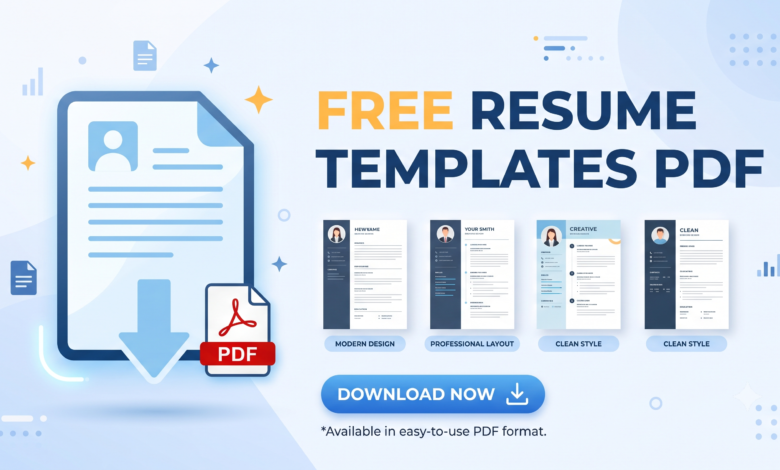
Free resume templates PDF are professionally designed resume layouts that can be downloaded without cost and used as a starting point for creating a resume. Many templates are available in editable formats such as Microsoft Word, Google Docs, or Canva before being exported as a PDF.
A PDF resume keeps your formatting intact, ensuring that fonts, spacing, and alignment remain consistent regardless of the device used by the recruiter.
These templates are suitable for:
- Students
- Fresh graduates
- Entry-level applicants
- Experienced professionals
- Career changers
- Freelancers
- Remote workers
- Internship applicants
Why Choose a PDF Resume?
Using a PDF resume offers several advantages over other file formats.
Consistent Formatting
Your resume appears exactly as intended without unexpected changes in layout.
Professional Appearance
PDF files provide a polished and clean presentation that reflects professionalism.
Easy Sharing
PDF resumes are easy to upload to job portals, email to employers, and save on cloud storage.
Better Compatibility
Most recruitment systems and hiring managers can easily open PDF files without compatibility issues.
Essential Sections Every Resume Should Include
Contact Information
Include your:
- Full name
- Phone number
- Professional email address
- City and country
- LinkedIn profile (optional)
- Portfolio website (if applicable)
Professional Summary
Write a brief introduction highlighting your experience, strengths, and career goals.
Work Experience
List your experience in reverse chronological order.
For each position include:
- Job title
- Company name
- Employment dates
- Key achievements
- Responsibilities
Whenever possible, include measurable accomplishments.
Education
Mention:
- Degree
- Institution
- Graduation year
- Academic achievements (if relevant)
Skills
Include both technical and soft skills.
Examples include:
- Microsoft Office
- Project Management
- Communication
- Customer Service
- Data Analysis
- Problem Solving
- Leadership
- Teamwork
Certifications
Include certifications that are relevant to the role.
Projects
If you have limited work experience, showcase academic or personal projects that demonstrate practical skills.
How to Choose the Right Free Resume Templates PDF
Different careers require different resume styles.
Simple Resume Templates
Ideal for corporate jobs, administration, finance, healthcare, and education.
Modern Resume Templates
Suitable for technology, marketing, digital media, and startups.
Creative Resume Templates
Useful for designers, photographers, writers, and creative professionals.
Executive Resume Templates
Designed for senior managers and experienced professionals.
Always choose a template that matches your profession and the expectations of your target employer.
Tips for Writing a Strong Resume
A template alone does not guarantee success. Focus on the quality of your content.
- Tailor your resume for every job application.
- Use clear and concise language.
- Highlight measurable achievements.
- Include relevant keywords from the job description.
- Keep formatting clean and consistent.
- Use professional fonts.
- Proofread carefully before submitting.
- Save the final version as a PDF.
Common Resume Mistakes
Many applicants reduce their chances by making avoidable errors.
Common mistakes include:
- Spelling mistakes
- Grammatical errors
- Including unnecessary personal information
- Using outdated designs
- Writing long paragraphs
- Listing irrelevant work experience
- Using an unprofessional email address
- Including incorrect contact information
Review your resume several times before sending it.
Who Can Benefit from Free Resume Templates PDF?
These templates are suitable for many job seekers.
Students
Create a professional resume for internships and entry-level positions.
Graduates
Highlight education, internships, and academic achievements.
Experienced Professionals
Showcase career growth, leadership experience, and measurable results.
Career Changers
Emphasize transferable skills and relevant accomplishments.
Freelancers
Present completed projects, client work, and specialized expertise.
Resume Design Best Practices
An effective resume balances design and readability.
Recommendations include:
- One or two pages maximum
- Clear headings
- Adequate white space
- Consistent formatting
- Bullet points instead of lengthy paragraphs
- Professional font size between 10 and 12 points
- Bold headings for better navigation
Avoid excessive graphics or decorative elements unless you work in a creative industry.
Frequently Asked Questions
Are free resume templates PDF accepted by employers?
Yes. Most employers prefer PDF resumes because they preserve formatting and look professional.
Can I edit a PDF resume template?
Many templates are first edited in Word or Google Docs and then exported as PDF before submission.
Should my resume be one page?
Entry-level candidates often use one page, while experienced professionals may require two pages.
Do ATS systems accept PDF resumes?
Most modern Applicant Tracking Systems support PDF files, especially when they contain selectable text rather than scanned images.
How often should I update my resume?
Update your resume whenever you gain new skills, certifications, projects, or work experience.
Final Thoughts
Using free resume templates PDF provides a professional foundation for creating an impressive resume. However, the template is only part of the process. The real value comes from presenting your qualifications clearly, using relevant keywords, demonstrating measurable achievements, and tailoring your resume for each opportunity.
A polished PDF resume helps recruiters quickly understand your experience while maintaining a consistent appearance across devices. By following the recommendations in this guide, you can create a resume that reflects your skills, professionalism, and career goals.
Whether you are applying for your first job, seeking a promotion, changing industries, or returning to the workforce, investing time in creating a high-quality resume can significantly improve your job search experience.