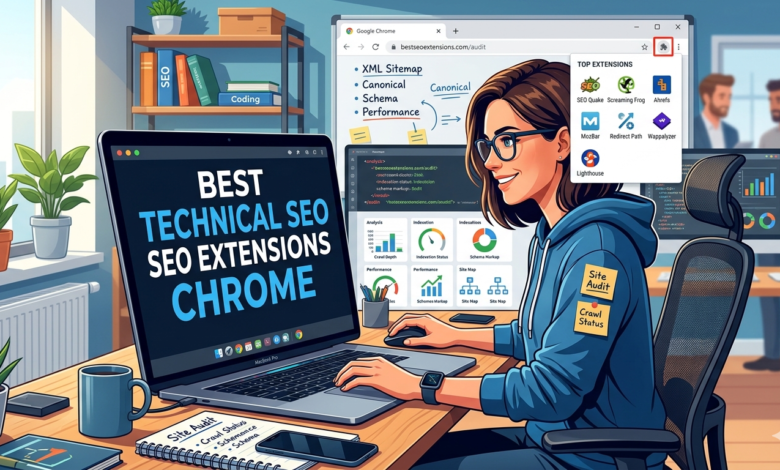
Let’s be honest for a second. If you are trying to rank a website without keeping a close eye on your Best Technical SEO Extensions Chrome framework, you are essentially building a house on a foundation of quicksand. Search Engine Optimization isn’t just about scattering keywords across a blog post anymore; it requires absolute precision under the hood of your website. To execute this flawlessly, you need immediate access to data, and that is where the best technical SEO extensions for Chrome come into play to save your precious hours.
Running full-scale crawler audits every single time you want to inspect a single page is highly inefficient and exhausting. By using specialized browser tools, you can turn your Google Chrome browser into a fully operational Search Engine Optimization command center. These lightweight programs let you analyze indexability, check server header configurations, and track rendering discrepancies on the fly without ever leaving the active tab.
If you are ready to streamline your optimization workflow, maximize your daily efficiency, and clean up your site architecture, this breakdown is built for you. We will unpack the absolute Best Technical SEO Extensions Chrome that industry experts rely on daily. Let’s look at the premier tools that will completely elevate your optimization routine.
Quick Facts: Ultimate Chrome Extensions Comparison
Before we dive deep into the specific mechanics of each platform, let’s look at a quick comparative breakdown of the top tools. This snapshot outlines what each tool does best and how they fit into a professional Search Engine Optimization framework.
| Extension Name | Primary Technical Focus | Key Technical Benefit | Cost Model |
| Redirect Path | HTTP Status Codes & Chains | Uncovers hidden 301/302 redirect loops | 100% Free |
| Detailed SEO Extension | On-Page & Schema Validation | Fast structural and canonical checks | 100% Free |
| View Rendered Source | JavaScript Rendering Analysis | Compares raw HTML vs. fully rendered DOM | 100% Free |
| Link Redirect Trace | Advanced Link & Canonical Audits | Inspects X-Robots headers and link equity | Free / Freemium |
| Schema Builder & Tester | Structured Data Deployment | Builds and validates JSON-LD structured data | Free / Paid Options |
Why Technical Browser Auditing Matters for Search Engine Optimization
When most people think about Search Engine Optimization, they immediately picture keyword research and link building. While those elements are undeniably essential, they won’t do anything for your business if search engine crawlers cannot successfully access, parse, and index your web pages. Best Technical SEO Extensions Chrome glitches like broken server paths, hidden redirect loops, and missing canonical declarations can quietly tank your organic traffic without your knowledge.
Using the Best Technical SEO Extensions Chrome allows you to catch these errors before they impact your live rankings. Instead of waiting for a weekly sitewide crawl report to highlight structural issues, you can diagnose performance bottlenecks dynamically as you browse. This proactive auditing methodology ensures that your critical pages maintain perfect technical health round-the-clock.
Furthermore, the modern web relies heavily on complex server configurations and JavaScript frameworks. Managing these modern environments requires tools that can instantly reveal how a search engine bot views your server response headers and page structures. Investing a few minutes into setting up a robust browser toolkit will fundamentally transform your daily optimization execution.
1. Redirect Path: The Ultimate HTTP Status Monitor
[User Request] —> (301 Redirect) —> (302 Redirect) —> [Final Destination URL]
When it comes to analyzing server responses, Redirect Path by Ayima is the absolute gold standard for Best Technical SEO Extensions Chrome Search Engine Optimization specialists. This lightweight tool works quietly in the background of your Chrome interface, tracking every single HTTP status code across the web pages you visit. If a page passes through multiple server-side changes before loading, this extension immediately flags the exact path of the migration.
Identifying hidden redirect chains is crucial because multiple sequential jumps dramatically slow down page loading speeds and exhaust your crawl budget. Google bots may eventually stop following a chain if it loops too many times, meaning your target page won’t get indexed. With this extension active, an immediate visual warning alert pops up whenever a status code deviates from a clean 200 OK success response.
Beyond standard 301 and 302 tracking, Redirect Path uncovers deeper server-side setups by displaying crucial response headers like cache-control, server types, and alternative microdata. It also exposes critical Best Technical SEO Extensions Chrome hitches like broken 404 paths or severe 500 server errors instantly. For anyone serious about maintaining seamless internal linking and flawless site migrations, keeping this asset in your browser toolbar is non-negotiable.
2. Detailed SEO Extension: On-Page Architecture at a Glance
The Detailed SEO Extension, engineered by Glen Allsopp, is a powerhouse for rapid on-page structural diagnostics. With a single click, this extension compiles an incredibly thorough Best Technical SEO Extensions Chrome dossier of the open URL, saving you from digging through complex source code manually. It extracts everything from core title lengths to deep indexation parameters in a beautifully clean, highly readable side panel.
From a strict Search Engine Optimization perspective, its structural heading analyzer is a massive time-saver. It maps out the exact hierarchy of H1 through H6 tags on a page, instantly flagging formatting anomalies like missing headers or multiple H1 placements. It also highlights critical canonical directives, showing you exactly if a page is self-referential or pointing to a different primary destination.
What truly elevates Detailed into the tier of Best Technical SEO Extensions Chrome is its dedicated tabs for schema markup and robots tracking. You can instantly see if the page contains valid structured data configurations or if it is being blocked via an X-Robots-Tag directive. It strips out the noise and serves up the exact data points required to verify that your layout matches modern ranking requirements.
3. View Rendered Source: Solving the JavaScript Rendering Puzzle
Modern web development frequently utilizes massive client-side JavaScript frameworks like React, Angular, or Vue to build highly dynamic user experiences. However, client-side rendering poses a unique threat to search execution if search engine bots struggle to parse the final visual output. View Rendered Source solves this visibility gap perfectly by letting you compare the differences between raw server code and the final rendered version.
This crucial Best Technical SEO Extensions Chrome splits your browser view into three distinct informational columns: Raw HTML, Rendered DOM, and the exact difference between the two states. By examining these structural changes, you can immediately determine if your JavaScript execution is accidentally stripping out vital SEO meta tags, internal links, or primary body content. If a search engine cannot see your text after rendering, it cannot rank your asset.
Using this tool helps you prevent devastating JavaScript rendering indexing issues across your web properties. It ensures that your title configurations, canonical configurations, and structured markup remain completely intact throughout the entire rendering process. If your organization relies on dynamic code execution, this tool is an absolute must-have for your day-to-day auditing routine.
4. Link Redirect Trace: Advanced Canonical and Header Audits
While standard redirect checkers are great for quick everyday tasks, complex enterprise sites often require a deeper level of analytical capability. Link Redirect Trace by LRT provides an incredibly sophisticated analysis that unpacks every microscopic layer of a page transaction. This tool analyzes redirect types, canonical tags, robots instructions, and link equity distributions simultaneously.
This extension excels at tracking down elusive Best Technical SEO Extensions Chrome discrepancies, such as a URL that returns a 200 status code but contains a noindex instruction hidden deep inside its HTTP response header. It also monitors your canonical header tags to ensure search engines aren’t being sent into infinite loops during indexing cycles. It analyzes every point of interaction to give you a definitive map of how authority flows through that specific page path.
Additionally, Link Redirect Trace evaluates your site speed profiles and detects whether external hops are draining link equity from your primary backlink profile. It is an indispensable asset for conducting thorough competitor research and resolving complex indexation bugs across large web portals. If your goal is to achieve absolute perfection in your Search Engine Optimization execution, this specialized analytics engine provides unmatched visibility.
5. Schema Builder & Tester: Simplifying Structured Data Deployment
[Web Page Content] —> [Schema Builder Extension] —> [Valid JSON-LD Code] —> [Google Rich Snippets]
Implementing structured data is one of the most effective ways to help search engines understand the contextual meaning of your content and award you eye-catching rich snippets. The Schema Builder & Tester extension streamlines this Best Technical SEO Extensions Chrome requirement by allowing you to build, edit, and validate complex JSON-LD markup on the fly. It completely eliminates the guesswork out of deploying schema architecture.
This intuitive extension automatically analyzes the on-screen visual elements of any open webpage and lets you map them directly to standard Schema.org classifications. Whether you need to deploy product reviews, local business details, or complex article configurations, you can generate flawless code blocks within seconds. It also features a built-in validation engine that immediately flags structural bugs or missing required fields before you push changes to production.
By incorporating this asset into your optimization toolkit, you ensure that your structured data is completely free of formatting errors that could disqualify your site from rich search displays. It functions as an interactive bridge between raw development code and strategic Search Engine Optimization design. For teams looking to maximize their visibility across modern AI-driven search layouts, this tool is incredibly valuable.
Frequently Asked Questions (FAQ)
What are Best Technical SEO Extensions Chrome?
Best Technical SEO Extensions Chrome are specialized browser add-ons designed to help webmasters and marketing experts analyze the underlying structural health of websites. These lightweight tools integrate directly into the Google Chrome browser to provide immediate insights into source code structures, server response headers, HTTP configurations, mobile usability, and schema deployments without needing to run full external crawls.
Can using too many Chrome extensions slow down my browsing experience?
Yes, running an excessive number of extensions simultaneously can consume significant system memory (RAM) and noticeably drag down your browser’s performance. To maintain an efficient workflow, it is best practice to only activate your core Best Technical SEO Extensions Chrome optimization tools when actively performing audits, or use a profile manager to toggle them on and off as needed.
Why is monitoring redirect paths important for search engine rankings?
Tracking your redirect chains is vital because unnecessary structural hops cause page loading delays and waste your site’s allocated crawl budget. If search engine bots encounter too many sequential redirects, they may stop crawling the path entirely, which harms indexing visibility and dilutes the link equity flowing to your target pages.
Do these technical extensions replace the need for dedicated site crawlers?
No, browser extensions do not replace robust sitewide crawlers like Screaming Frog or deep audit platforms like Semrush and Ahrefs. Extensions are designed for rapid, page-level diagnostics and real-time inspections, whereas enterprise crawlers are required to map out macro-level architecture and discover sitewide Best Technical SEO Extensions Chrome errors across thousands of pages simultaneously.
How do I check if my JavaScript content is being indexed correctly using extensions?
You can use specialized extensions like View Rendered Source to compare your raw server-side HTML against the final client-side rendered DOM. If important elements like your target keywords, main body text, meta tags, or internal hyperlinks are missing from the rendered column, it indicates a rendering bug that could block search engine indexing.